
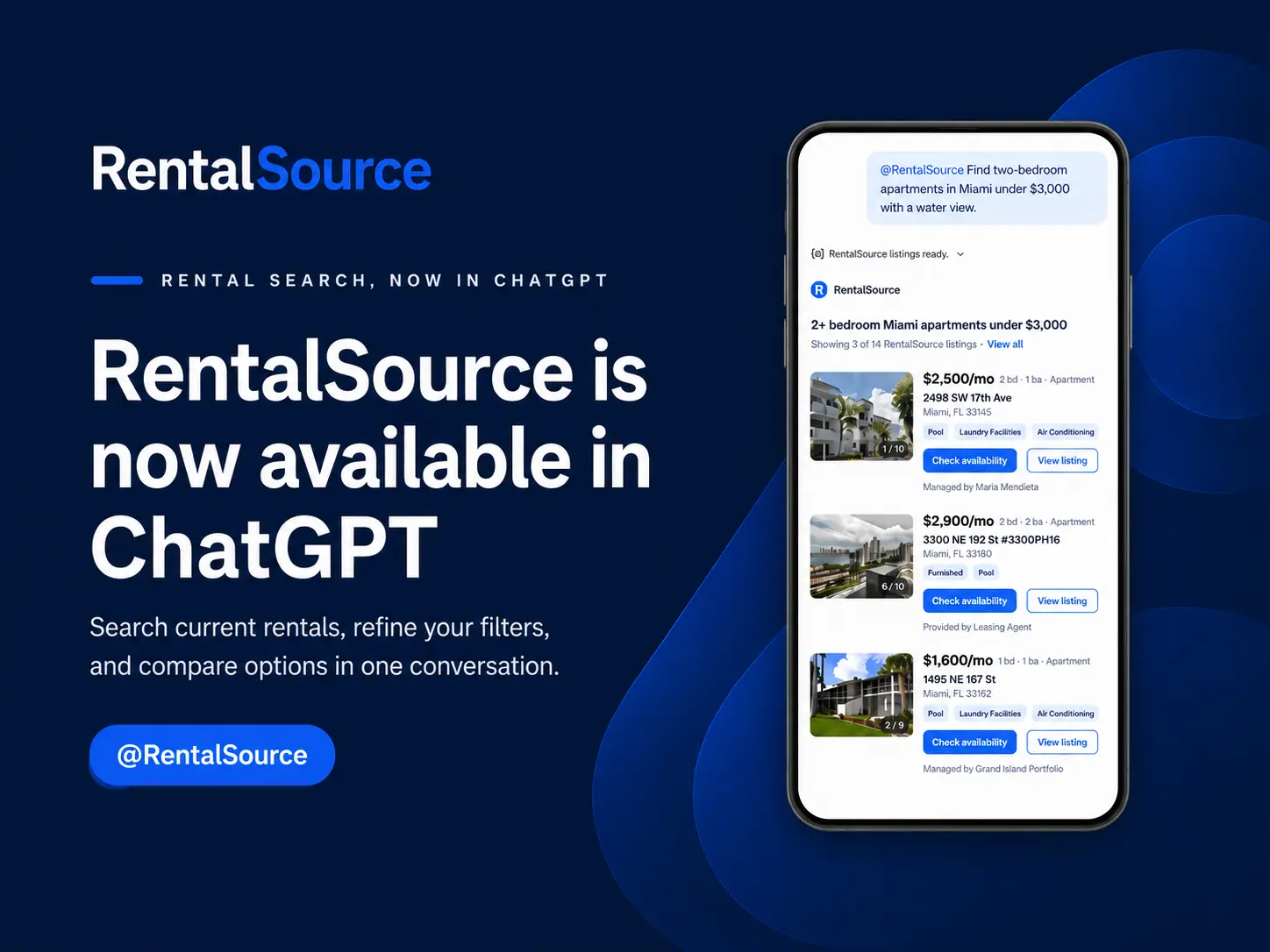
Rental searches rarely follow a straight line. You start with a budget and location, then a pet policy, commute, or extra bedroom changes the plan. RentalSource has been available in ChatGPT since July 10, 2026, so you can make those changes in a conversation instead of rebuilding filters. Compared with the July launch period, August tool calls rose 217%, searches rose 243%, and returned listings rose 204%, an early sign that renters are trying the new path.
Key Takeaways
- Start a new ChatGPT conversation and select @RentalSource so your request goes directly to the RentalSource plugin.
- Build the first search around location, budget, rental type, bedrooms, and one feature you won't compromise on.
- Change one criterion at a time after the first results so you can see which tradeoff changes your options.
- Ask for listing details, similar properties, nearby choices, and market context before settling on a short list.
- Keep the generated RentalSource search link so you can revisit current inventory and contact properties from the full listing experience.
Start Your Search
Installing the plugin makes RentalSource available to ChatGPT. Selecting it in your prompt tells ChatGPT exactly which source you want to use. That distinction matters because a general rental question could otherwise be answered from other information available to ChatGPT.
OpenAI's plugin instructions say ChatGPT can choose an installed tool when a request fits. They also say typing @ explicitly invokes a specific plugin. For a rental search, the clearest approach is to select @RentalSource before writing the request.
Use these steps the first time:
- Install: Open the Plugins tab, search for RentalSource, open its details, and select the plus button.
- Start Fresh: Open a new ChatGPT conversation after installation so the plugin is available to that chat.
- Select RentalSource: Type @, choose RentalSource from the menu, and confirm that it appears in the prompt.
- Describe the Rental: Add your location, price range, property type, bedrooms, and the feature that matters most.
A complete first request might look like this:
@RentalSource Find 2 bedroom apartments in Raleigh, North Carolina, under $1,800 with in-unit laundry.
Follow-up requests can be short because ChatGPT keeps the existing search in context. Keep @RentalSource at the start when you want the plugin to run another search.
@RentalSource Show houses instead of apartments.
Pro Tip: Select RentalSource from the @ menu before typing the rest of your request. The selected plugin will appear in the composer, which saves a turn that might otherwise return a general rental answer.
Build Filters That Stay Useful
Start with the criteria that would rule a property in or out. Add optional features after you see the first results.
RentalSource can search by city and state or ZIP code, price, bedrooms, bathrooms, rental type, pet preferences, and objective listing features. Searchable features include a garage, fenced yard, washer and dryer, pool, furnished space, utilities included, natural light, high ceilings, and remodeled interiors.
These starter prompts cover common situations:
- Apartment Search: @RentalSource Show 1 bedroom apartments in Tampa, Florida, under $1,700 with a washer and dryer.
- House Search: @RentalSource Find 3 bedroom houses in Charlotte, North Carolina, that allow dogs and mention a fenced yard.
- ZIP Code Search: @RentalSource Show studios in 33602 under $1,600 with utilities included.
- Furnished Search: @RentalSource Find furnished rentals in Raleigh under $2,200 with at least one bathroom.
Use measurable housing details. ZIP codes, commute destinations, price limits, property types, parking, and listing features give ChatGPT concrete search terms. Broad descriptions of who lives nearby don't translate into reliable housing filters.
After the first results, change one condition at a time. A single change makes the effect visible. If you raise the budget and remove a feature in the same message, you won't know which change brought more listings into the search.
Useful refinements include:
- Budget: "Keep the search the same but raise the maximum rent to $1,900."
- Space: "Keep the location and budget but show two bedrooms instead of one."
- Feature: "Remove the pool requirement and add in-unit laundry."
- Area: "Keep all filters and include nearby ZIP codes."
Pro Tip: Copy your first complete search into a note before changing it. If the conversation drifts away from your budget or must-have features, you can paste the baseline back in without having to rebuild it from memory.
Compare Listings Without Losing Context
RentalSource results can appear as listing cards with photos, price, bedrooms, bathrooms, property type, amenities, and other property facts. A card gives you enough information to decide whether a listing deserves a closer look, but the conversation becomes more useful when you ask follow-up questions.
When one property catches your attention, ask ChatGPT to use @RentalSource for the next layer of comparison:
- Full Details: Ask for the listing description, amenities, pet information, and other available facts.
- Similar Choices: Request properties with comparable price, size, and features.
- Nearby Choices: Look for options around the same location without changing the rest of the search.
- RentalSource Link: Ask for the individual listing or filtered search URL so you can continue on RentalSource.
Name the result you want ChatGPT to examine by its card number, street address, or RentalSource link. That keeps the follow-up tied to the intended property when two listings have similar rents or descriptions.
Pro Tip: Ask for the full details of your favorite card before comparing it with others. The expanded record can surface pet terms, parking, or amenities that the summary card didn't show.
Compare a Short List
A deliberate comparison keeps one polished card from setting the standard for everything else. A listing may have better photos while another includes parking, laundry, or utilities that make the monthly cost easier to manage.
Keep your comparison focused on the details that affect the decision. Check the listed rent, required fees, pet terms, parking, laundry, lease timing, and the condition shown in photos. Our articles about apartment red flags and spotting rental scams can help you decide what deserves a closer check before you contact a property.
You can also ask for a compact comparison in the chat. For example, ask ChatGPT to compare three listings based on rent, number of bedrooms, pet information, parking, and laundry. Keep the comparison tied to facts from RentalSource rather than asking ChatGPT to guess which property best fits your priorities.
Pro Tip: Ask for two similar listings as soon as you find a favorite. That quick comparison can reveal whether the first property commands a premium for a feature you don't actually need.
Use Market Context to Set Expectations
A listing answers the question, "What is available?" Market context helps answer the question, "How does this option compare?" RentalSource can provide market information when it has enough data for the location and rental type.
Available context may include average rent, recent rent movement, averages by unit type, days on market, active inventory, search demand, and nearby market comparisons. These figures can help you decide whether to adjust the budget, move faster, or widen the map.
Try questions such as:
- Typical Price: @RentalSource What is the average rent for a 1 bedroom apartment in Tampa?
- Market Pace: @RentalSource Show days on market for 2 bedroom apartments in Raleigh.
- Available Supply: @RentalSource How much active 2 bedroom inventory is available in ZIP code 28205?
- Nearby Comparison: @RentalSource Compare 1 bedroom rent in Tampa with nearby rental markets.
Match the market question to the rental you want. A citywide average across all unit sizes won't tell you much about a 2 bedroom house in one ZIP code. The closer the location and unit type match your search, the more useful the comparison becomes.
Treat market context as a current reference point. A specific property may cost more because it includes utilities, parking, furnishings, more space, or recent upgrades. Ask what the listing includes before deciding that its price sits above or below the market for no reason.
Pro Tip: Request the same rent measure for your target ZIP code and the wider city. The side-by-side view shows whether your preferred area carries a local premium before you raise the budget.
Continue Your Search
ChatGPT works well for exploring options because you can change the search in ordinary language. RentalSource becomes the next step when you have a short list or want to browse the complete results in the standard search experience.
Ask @RentalSource to create a RentalSource URL using the filters already active in the conversation. Open that link to review the search, visit full listing pages, and return to the same criteria later. RentalSource handles availability questions, property contact, tour requests, and inquiry steps from its listing experience.
Before contacting a property, make a final pass through the information that can affect your move:
- Current Terms: Review the listed rent, deposit, fees, lease dates, and included utilities.
- Pet Details: Confirm the type, size, quantity, deposit, and monthly charges that apply to your pet.
- Property Condition: Compare the description with the photos and note anything you want to see during a tour.
- Tour Questions: Prepare questions about maintenance, parking, access, renewals, and move-in timing.
- Contact Information: Use the contact path shown on the current RentalSource listing page.
Our apartment tour questions can help you prepare for a showing. If a pet is part of the move, renting with pets involves common policies, documents, and charges to confirm.
Saving the filtered URL also makes the conversation useful after the first session. You can reopen the RentalSource search to see current inventory without trying to recreate every change you made in ChatGPT.
Pro Tip: Bookmark the generated RentalSource URL with the city and budget in its name. You will have a clear baseline when you revisit the market or compare a second search later.
Conclusion
RentalSource in ChatGPT is most useful while your search is changing. Select @RentalSource, start with objective must-haves, and adjust one criterion at a time. That keeps the conversation grounded in RentalSource inventory and makes each change easy to understand.
A useful final result isn't a longer chat. It is a search you trust enough to keep. Ask for the filtered RentalSource link before you finish, then use that saved search to watch current options, review full listing details, and contact properties. The link turns a productive conversation into a repeatable rental search, rather than a list you have to reconstruct later.